A video call link anyone can join.

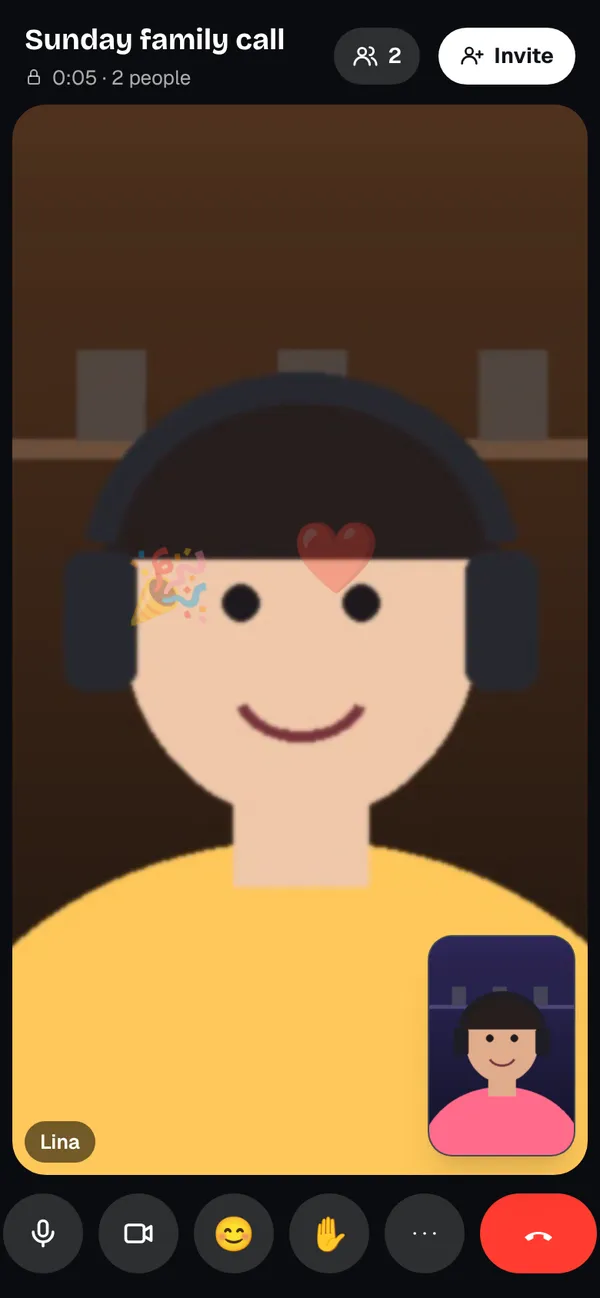
RVideoTime makes a link for a family call, a class or a meeting. Send it anywhere: anyone can join from their phone or computer, even without RChat, and you let them in. Send hearts and confetti, raise your hand, turn on captions or watch a video together.

An RVideoTime call between Lina and Mira with a heart and confetti floating up

RVideoTime: a video call from a link

Give it a name, make the link, share it, then tap Start. When someone knocks, tap Let in.

How to

  1. 1Go to Calls and tap New RVideoTime link
  2. 2Give it a name and tap Make the link
  3. 3Share the link, then tap Start
  4. 4When someone knocks, tap Let in
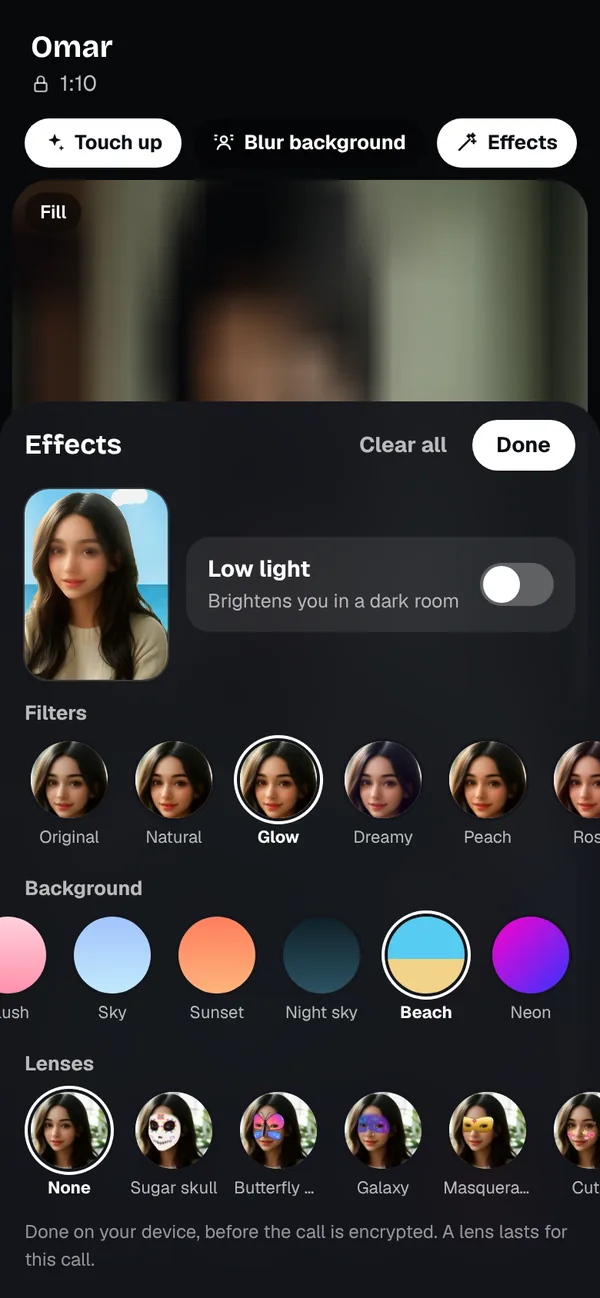
A video call with the Effects tray open, showing filters, backgrounds and lenses

Look your best

Touch up, blur background, low light and lenses work on RVideoTime calls too.

How to

  1. 1Start or answer a video call
  2. 2Tap Touch up or Blur background
  3. 3Tap Effects for low light, filters, backgrounds and lenses
  4. 4RChat remembers your look for the next call. A lens lasts for one call
A group video call with four people

Or call your RChat groups

In a group, tap the camera and everyone's phone rings.

How to

  1. 1Open a group
  2. 2Tap the camera at the top
  3. 3Everyone's phone rings and they join with a tap

Questions

Do people need RChat to join?
No. They open the link in a browser on their phone or computer.
Can strangers walk in?
No. People knock first and you choose who to let in.
Is it free?
Yes. RVideoTime calls have no limit.
Do I need a phone number?
No. Pick a name and you're in. Friends add you with your QR code, your invite link or your @username, so nobody gets your number.
Which devices does RChat work on?
iPhone and iPad, Android, any web browser at chat.ruqelo.online, and Windows and Mac. Use the same account on all of them: your chats follow you.

Try it with your friends.

Pick a name, share your link, and you're chatting in under a minute. Free, with no phone number.