Face filters and lenses, free and live.

RChat's camera has 53 face lenses that follow your face (with a new Lens of the day), face paint, 29 colour and art filters and 22 backgrounds. Take a photo or video, edit it, and post it for your friends or everyone on Discover. The same looks work on video calls.

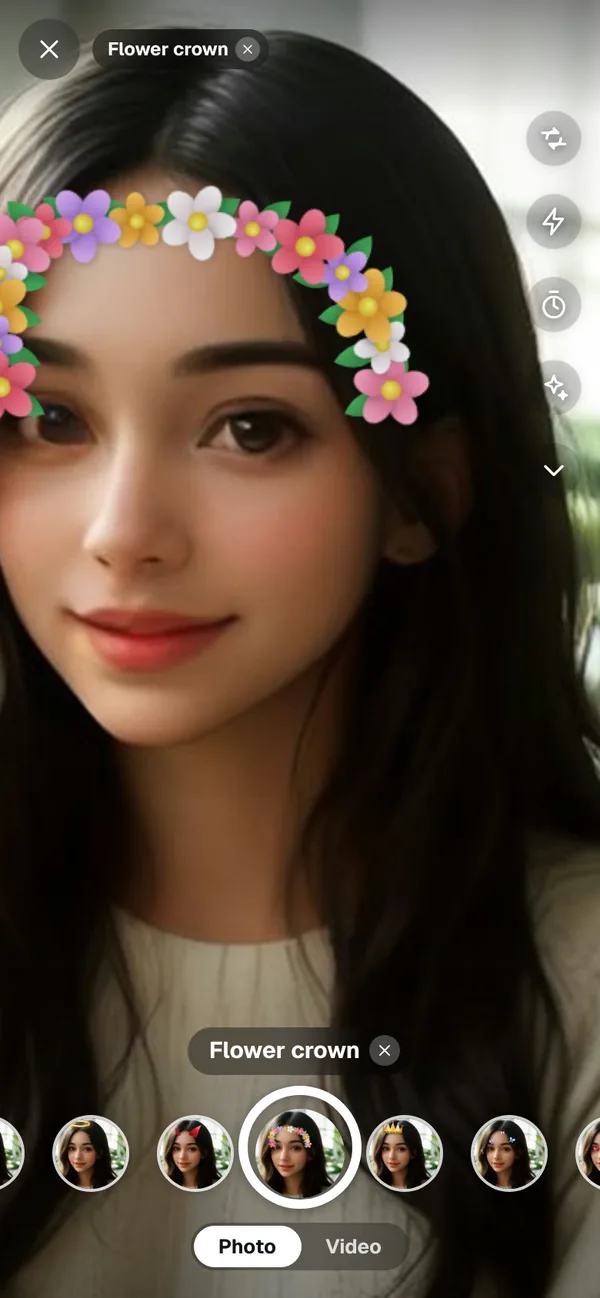
The Me-Time camera with the Flower crown lens, the lens bubbles by the shutter and the Photo and Video switch

The Me-Time camera

Smart beauty, filters, face lenses, makeup, hair colour and backgrounds, live. Photo and video modes, night mode, timer and music, then a full editor.

How to

  1. 1Tap Me-Time, then Post, then Open camera
  2. 2Swipe the bubbles next to the shutter for lenses: the one with ✨ is today's lens
  3. 3Tap Beauty for Filters, Makeup, Hair, Background and Music
  4. 4Pick Photo or Video under the shutter, then tap (or hold for a quick video)
  5. 5Edit, then save the look under My filters and share it
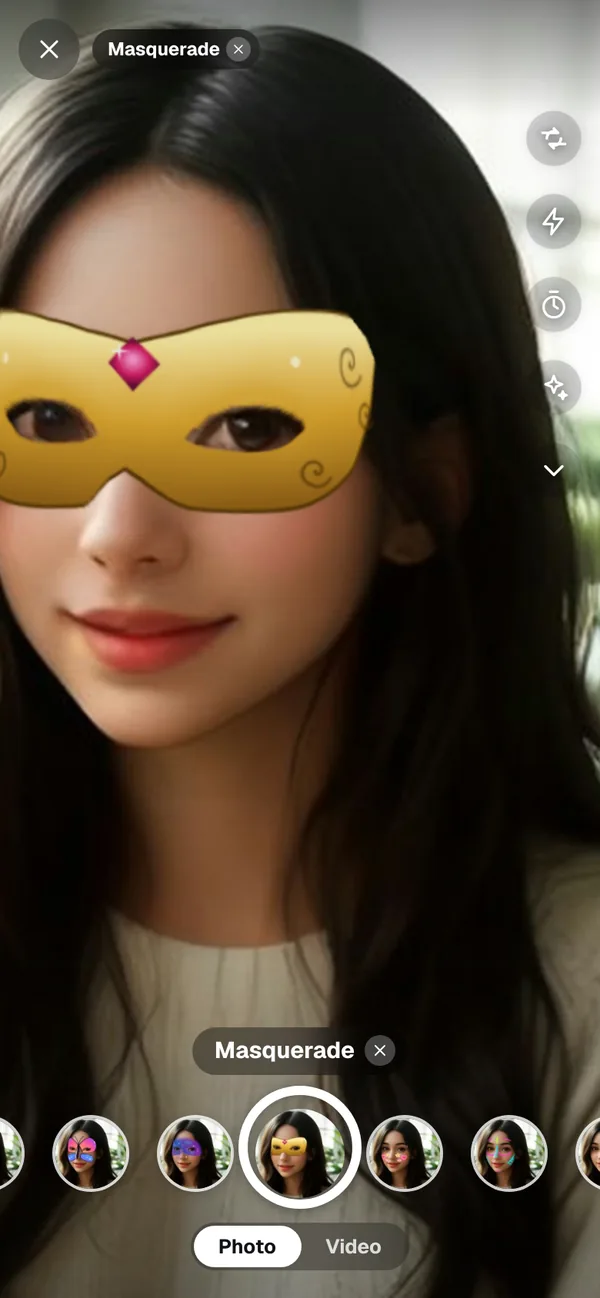
The Me-Time camera with the Masquerade face paint lens

Face paint lenses

Sugar skull, butterfly, galaxy, masquerade, neon and more, painted onto your face. It moves, turns and smiles with you.

How to

  1. 1Open the camera in Me-Time
  2. 2Swipe the lens bubbles: the face paint ones come first
  3. 3Take a photo or a video
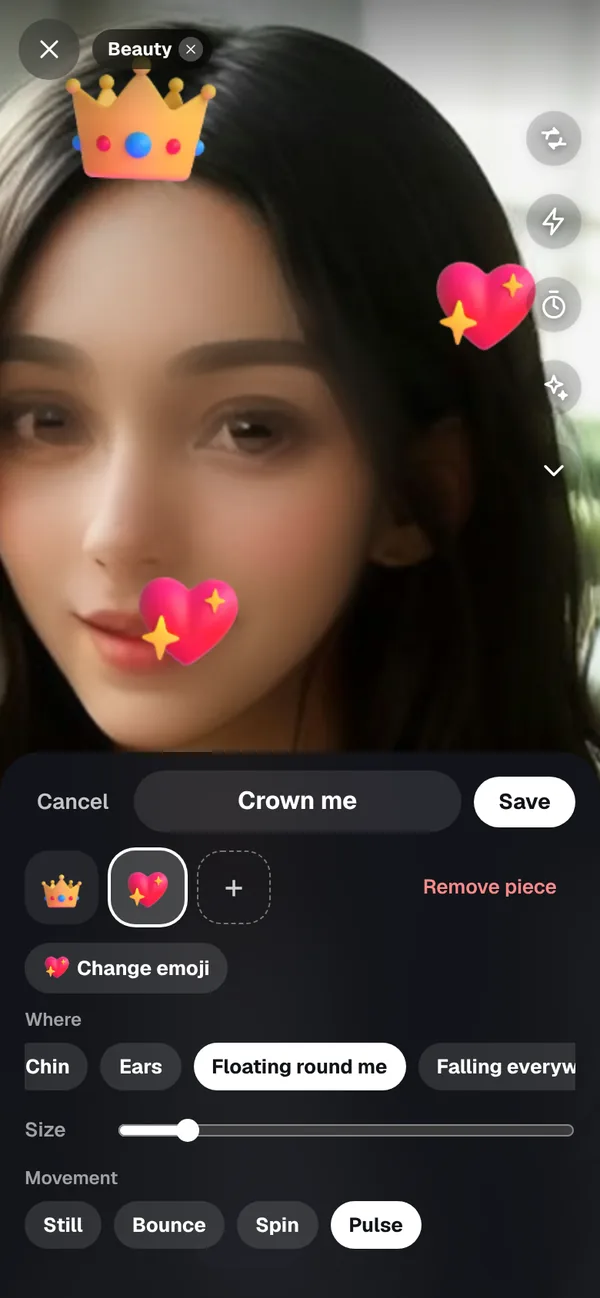
The lens maker with a crown above the head and hearts floating around the face

Make your own lens

Put emojis on your face: a crown above your head, hearts floating around you. Make them bounce or spin, then share the lens with friends.

How to

  1. 1Open the camera and swipe the lens bubbles to the end
  2. 2Tap Make a lens
  3. 3Pick an emoji and where it goes, then add more pieces
  4. 4Tap Save, then Edit lens and Share with friends
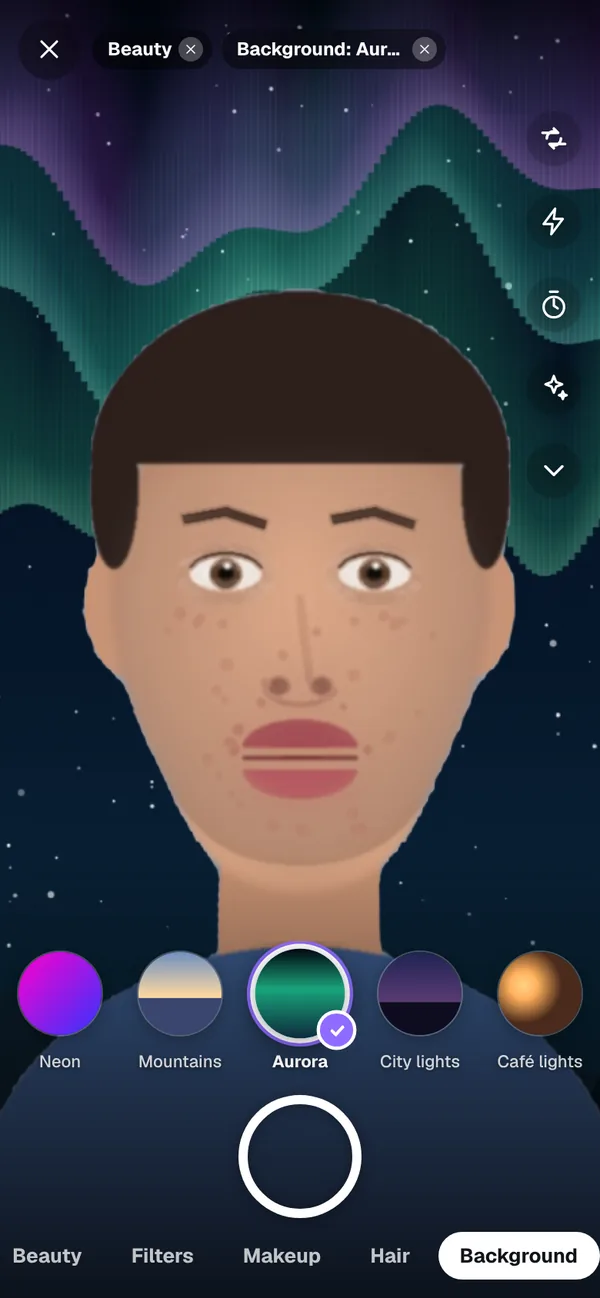
The camera with the Aurora background behind a face

New places behind you

Stand in front of the northern lights, a city at night or outer space. RChat changes only what's behind you.

How to

  1. 1Open the camera and tap Beauty
  2. 2Tap Background
  3. 3Pick a scene, or Your photo to use one of your own

Questions

How many lenses are there?
53 face lenses, including face paint, plus a new Lens of the day, 29 filters and 22 backgrounds. You can make your own lens too.
Can I use lenses on video calls?
Yes. During a call, tap Effects for filters, backgrounds and lenses.
Where do I find them?
Go to Me-Time, tap Post, then Open camera, and swipe the bubbles next to the shutter.
Is RChat free?
Yes. Chats, voice and video calls with up to 8 people, Cartoon me, lenses and stickers are free, with no ads. RChat Plus adds more big group call hours and more space for photos and videos.
Do I need a phone number?
No. Pick a name and you're in. Friends add you with your QR code, your invite link or your @username, so nobody gets your number.
Which devices does RChat work on?
iPhone and iPad, Android, any web browser at chat.ruqelo.online, and Windows and Mac. Use the same account on all of them: your chats follow you.

Try it with your friends.

Pick a name, share your link, and you're chatting in under a minute. Free, with no phone number.