Make stickers of yourself.

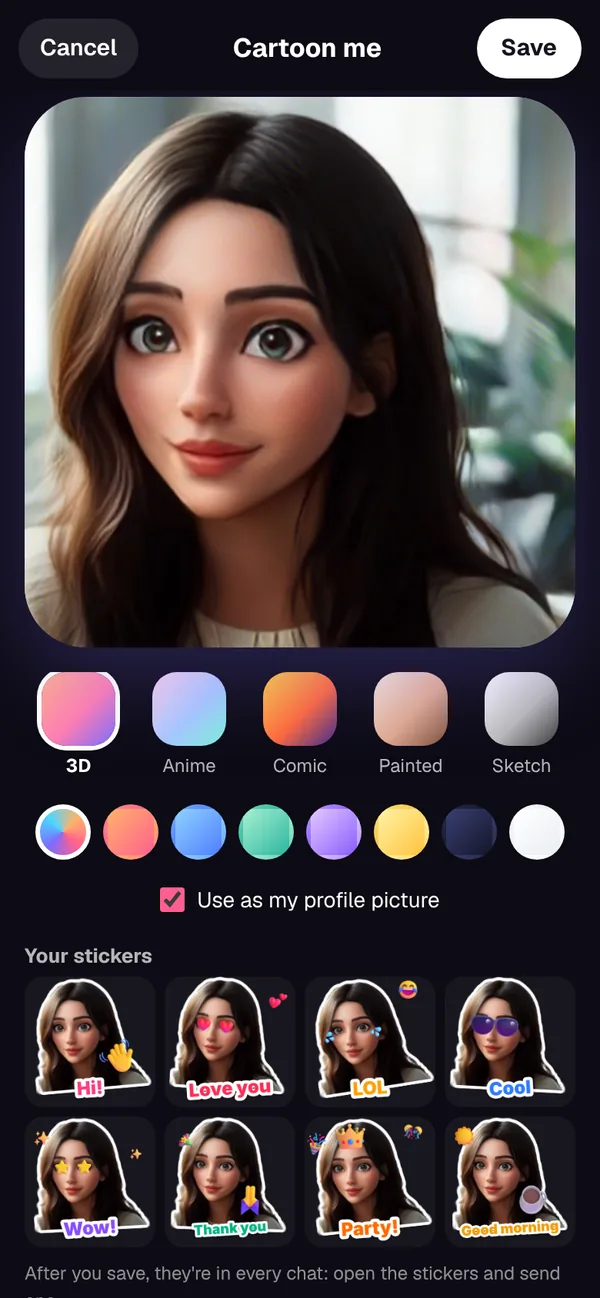
One selfie gives you a cartoon of you and 12 stickers of you to send in any chat: Hi!, Love you, LOL, Cool, Good night and more. Add big 3D stickers that bounce and spin, stickers made from your own photos, and GIF search.

Cartoon me showing a selfie turned into a 3D cartoon, with stickers below

Your cartoon, as a sticker pack

Make your cartoon in Cartoon me and your stickers are ready straight away.

How to

  1. 1Go to You and tap Cartoon me
  2. 2Put your face in the oval and tap the button (or choose a photo)
  3. 3Pick a style and a background, then tap Save
  4. 4In a chat, open the stickers to send one of you
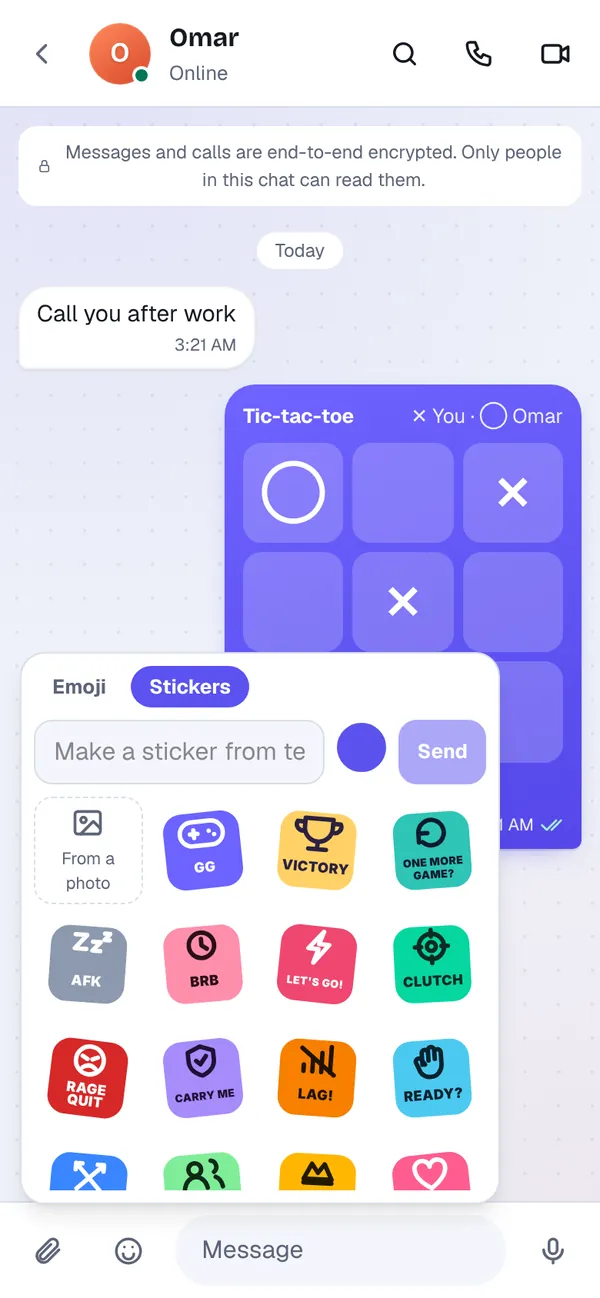
The sticker picker open in a chat

Stickers and GIFs

A sticker pack, stickers made from your own photos or words, and GIF search.

How to

  1. 1Tap the smiley face in a chat
  2. 2Switch to Stickers or GIFs
  3. 3Tap one to send it
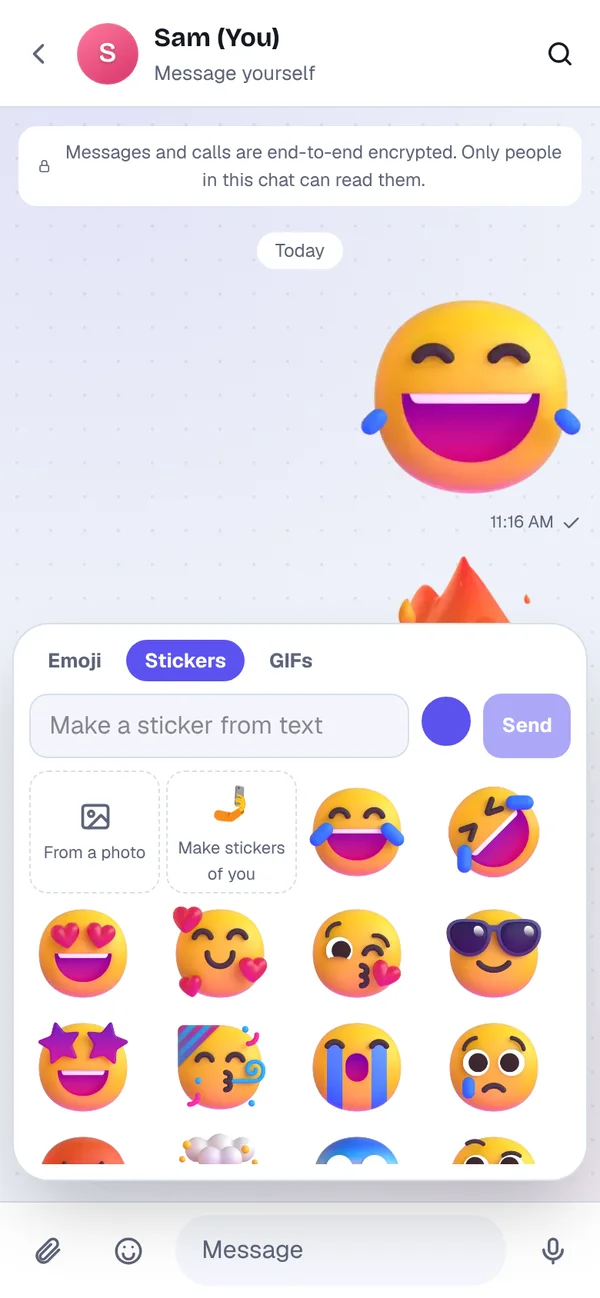
The sticker tray with 3D emoji stickers

3D stickers

Big 3D emoji stickers that bounce, wiggle and spin. They look the same on every phone.

How to

  1. 1In a chat, tap the smiley
  2. 2Tap Stickers
  3. 3Tap a 3D sticker to send it

Questions

How do I make stickers of myself?
Go to You, tap Cartoon me, and take a selfie. Your 12 stickers are made from your cartoon.
Can I make a sticker from any photo?
Yes. In the sticker picker you can make stickers from your own photos or words.
Is my photo uploaded?
No. Your cartoon and stickers are made on your phone.
Is RChat free?
Yes. Chats, voice and video calls with up to 8 people, Cartoon me, lenses and stickers are free, with no ads. RChat Plus adds more big group call hours and more space for photos and videos.
Do I need a phone number?
No. Pick a name and you're in. Friends add you with your QR code, your invite link or your @username, so nobody gets your number.

Try it with your friends.

Pick a name, share your link, and you're chatting in under a minute. Free, with no phone number.