Chat with friends online, right in your browser.

Open chat.ruqelo.online, pick a name and start chatting: no download, no phone number, no email. Video call from the browser, and when you want, get the app on your phone and keep the same account and chats.

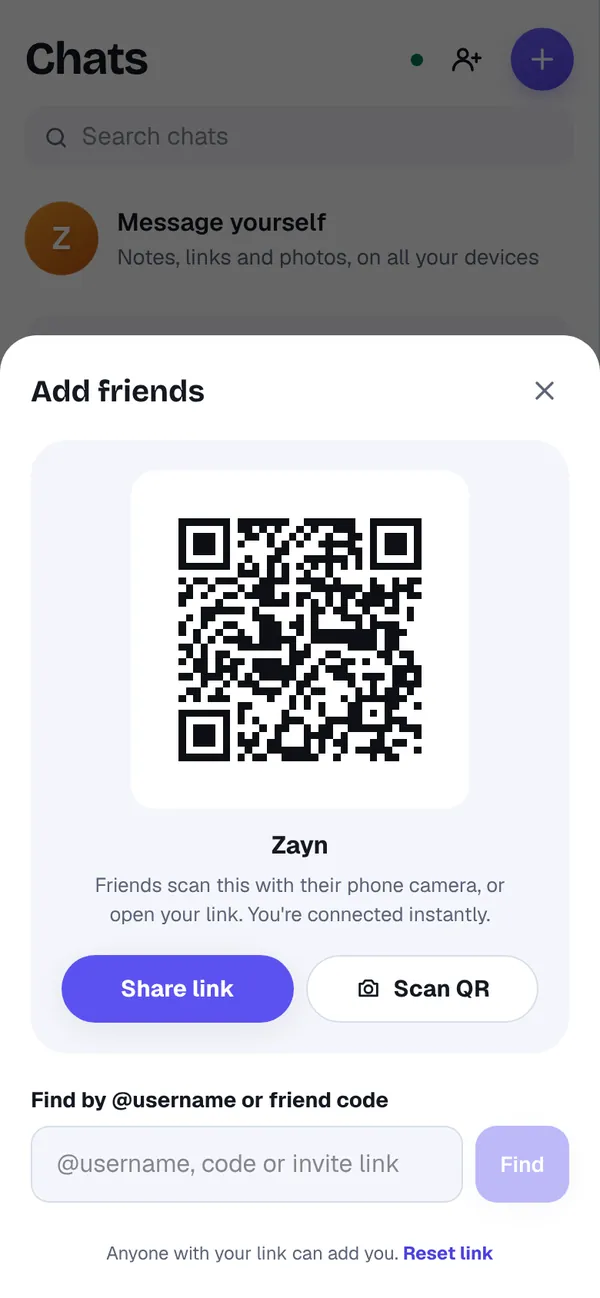
The Add friends sheet with a QR code and Share link button

Start in a minute

Pick a name, share your link or QR code, and your friends are one tap away.

How to
  1. 1Tap the person-plus icon at the top of Chats
  2. 2Show your QR code or tap Share link
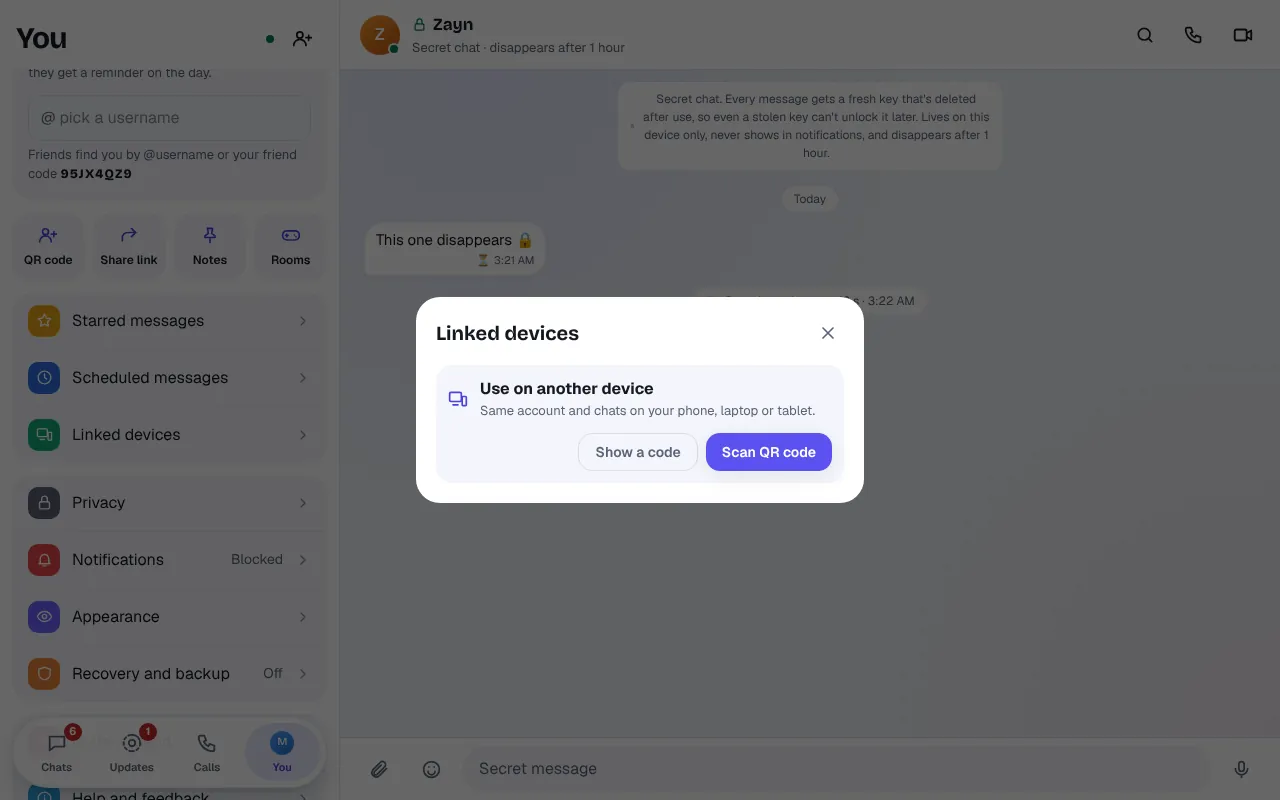
Linked devices on a computer

Your phone and computer in sync

Already on RChat on your phone? Scan the QR code on the computer and your chats open.

How to

  1. 1On the computer, open chat.ruqelo.online and choose I already use RChat
  2. 2On your phone, go to You, then Linked devices
  3. 3Scan the code on the computer

Questions

Do I need a phone number?
No. Pick a name and you're in. Friends add you with your QR code, your invite link or your @username, so nobody gets your number.
Is RChat free?
Yes. Chats, voice and video calls with up to 8 people, Cartoon me, lenses and stickers are free, with no ads. RChat Plus adds more big group call hours and more space for photos and videos.
Which devices does RChat work on?
iPhone and iPad, Android, any web browser at chat.ruqelo.online, and Windows and Mac. Use the same account on all of them: your chats follow you.
Is RChat private?
Chats and calls are end-to-end encrypted, so only the people in them can read or hear them. Not even RChat can. There are no ads and no phone number to give out.

Try it with your friends.

Pick a name, share your link, and you're chatting in under a minute. Free, with no phone number.